

Notebook LM 101
Your First Notebook!

If you’ve wondered whether an AI can actually help with real classroom work without making stuff up, this one is worth your time!
Last time, I argued that NotebookLM is probably the best generative AI you’re not using yet. Here’s why it stands out for educators and how to make your first notebook in a few minutes.

Why NotebookLM Works Well For Schools
Source‑grounded. NotebookLM only works with the materials you add—documents, videos, notes, and links. Answers are tied to your sources with clickable citations.
Focused and reliable. Because it sticks to your library, you’ll see fewer off‑topic answers and fewer made‑up details. Citations make it simple to verify.
Built for deep work. It can synthesize across multiple files, compare ideas, and draft study aids or discussion prompts based on your chosen resources.
Fits schools. If you’re in Google Workspace for Education and NotebookLM is enabled by your admin, your content stays within your domain’s protections. (As always: follow your district’s data‑handling rules.)
TL;DR: It’s like having a colleague who has read everything you’ve uploaded and is ready to help you plan, align, and check your thinking without wandering the open web.
Make Your First Notebook
Go to notebooklm.google.com and click + Create new.
Add sources. Begin with 4–5 items related to a single topic. You can upload PDFs, text/Markdown, and standard audio formats. Additionally, you can add Google Drive files, public webpages, and YouTube videos.
Let NotebookLM scan. It will generate a brief overview and automatically name the notebook. You can rename it anytime.
The Interface at a Glance
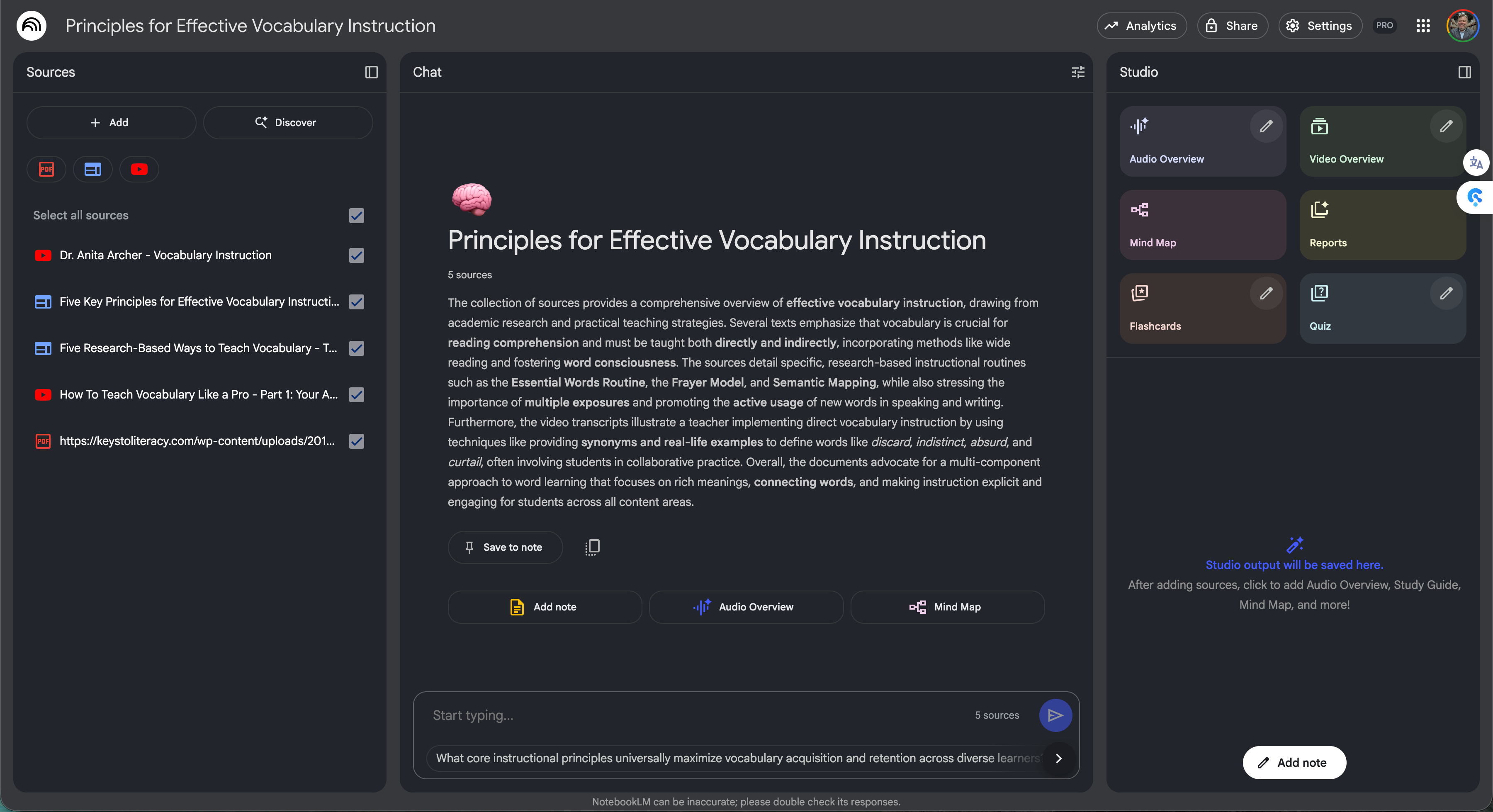
Source panel (left): Your library. Check/uncheck items to focus the AI.
Conversation (center): Ask questions, get summaries, compare documents, and cite.
Studio & Notes (right): Save takeaways and generate mind maps, flashcards, and quizzes. We’ll dig into these very compelling features in a future post.
Starter Ideas
Are you lacking ideas of where to start? Try these!
Content resources: Openly licensed textbook chapters on your current unit + state standards + your district curriculum guide.
Teaching strategy guide: A small set of trusted articles and videos (e.g., effective vocabulary instruction) to support PLC work.
Classroom Olympics: A mix of Olympics history pages, team‑building games, and your list of target academic skills.
💡Tip: Keep the first build narrow. You’ll get clearer summaries and sharper answers when the sources share a theme.
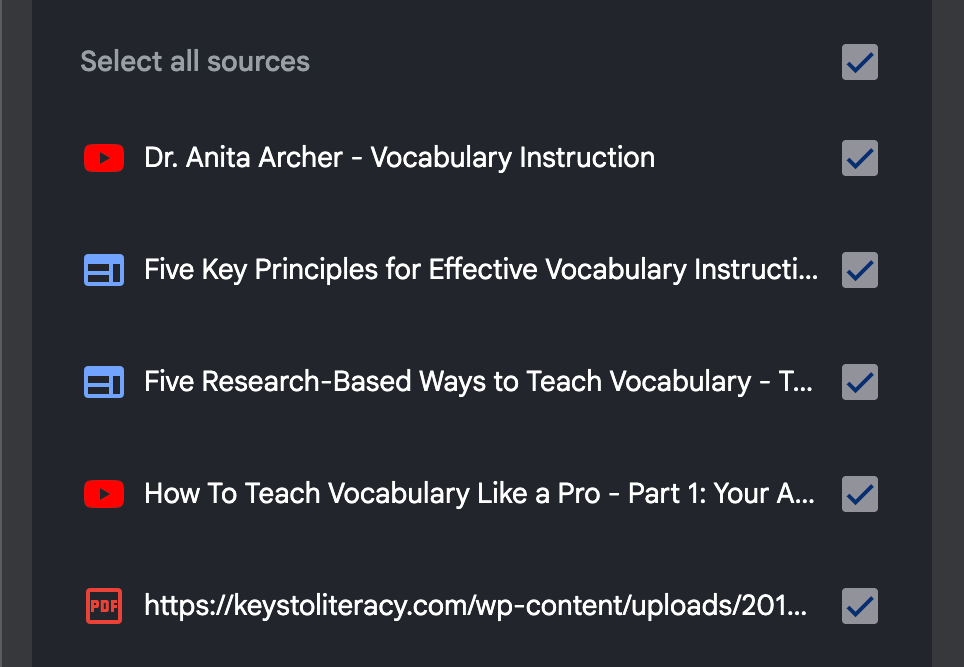
In my example, I have collected five different resources on vocabulary instruction, including YouTube videos, webpages, and a PDF guide I found online:
Prompt the Notebook
Now, NotebookLM works like any other chat tool, except it is grounded in YOUR sources. Paste a question that asks the model to pull from multiple files and apply it to a real classroom:
“List the five key principles of effective vocabulary instruction from these sources. For each principle, give a 1–2 sentence summary and one way to use it in an 8th‑grade social studies class.”
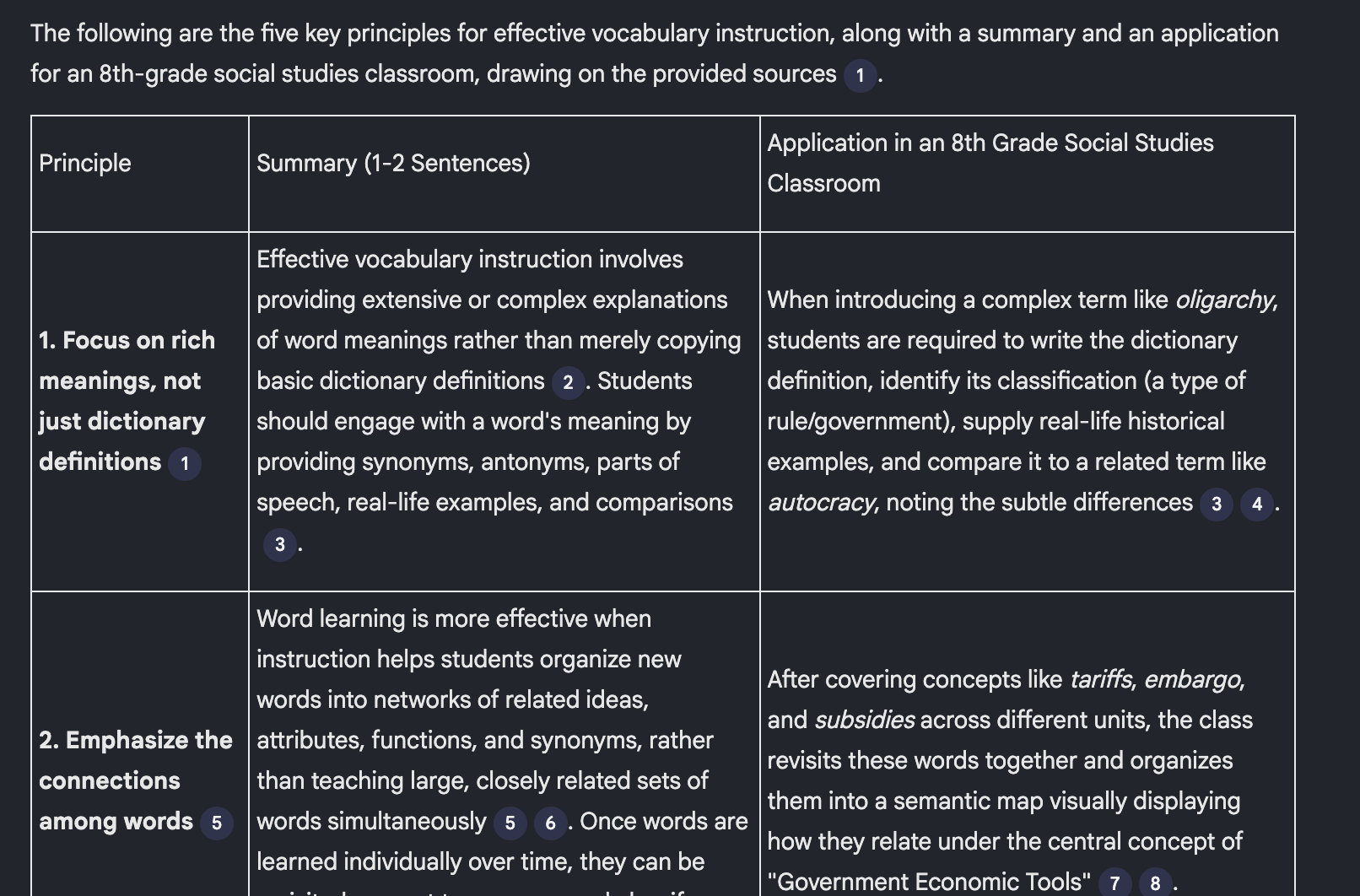
You should see a concise list with inline citation dots. Click a dot to jump to the exact passage in the source. That quick “receipt check” is the magic here.
Classroom Safe Habits
With any AI tool, good practices ALWAYS improve outcomes AND safety. Here are a few:
Mind your data. Don’t upload student PII or anything protected without explicit permission and district guidance.
Name sources clearly. Short, human‑readable titles make citations easy to scan.
Chunk long PDFs. Split 200‑page docs into sections so answers stay on target.
Troubleshooting Common Hiccups
Vague answers? Deselect unrelated sources and restate the question with the desired outcome (format, audience, constraints).
Citation mismatch? Click the dot. If it’s not supportive, tighten your source set or re‑upload a cleaner copy.
Too long? Ask for a table, bullets, or a fixed word count.
Coming Up!
In the next post, we’ll explore the NotebookLM Studio tools, including mind maps, audio overviews, and quizzes.
Your Turn
New to NotebookLM? What did you build first: a content resource notebook, a strategy guide for your PLC, or something more creative?
Already know the tool? What’s your favorite use?
Need help? Hit up the FLL AI help desk!
Need a thought buddy? Drop an idea in the comments and I’ll riff with suggestions.